
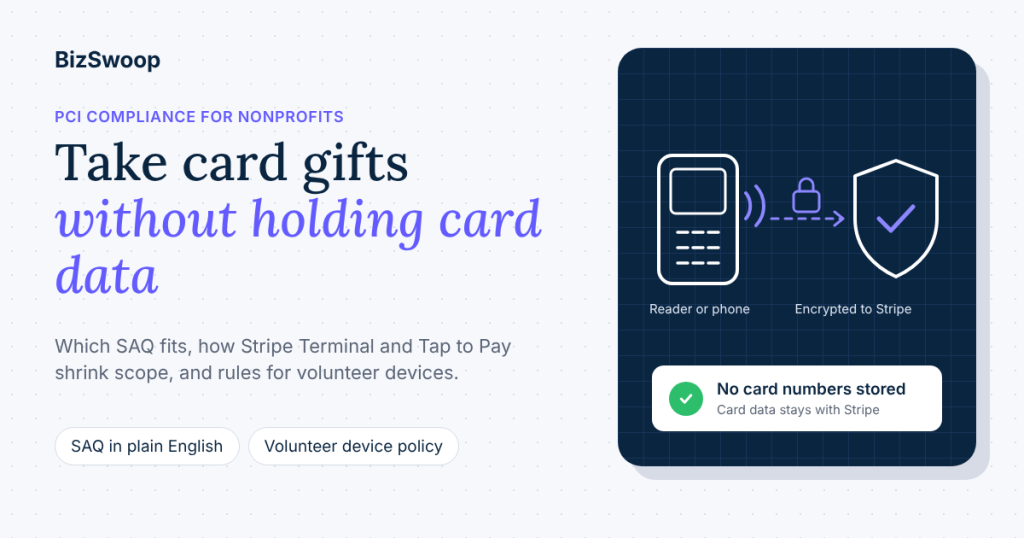
Yes, every nonprofit that accepts card donations must be PCI compliant, including for in-person gifts. PCI compliance for nonprofits works the same way as for any business: tax-exempt status doesn’t change it. The good news is that the work is small when you use a provider that keeps card data away from you. With Stripe Terminal readers or Tap to Pay, card data is encrypted and sent to Stripe, your organization never stores it, and you validate each year with a self-assessment questionnaire that Stripe can prefill in your Dashboard.
Most nonprofits hear “PCI” and picture auditors and security budgets. For a typical organization taking gifts at events, services and doorsteps, the reality is a yearly questionnaire, a few sensible device rules for volunteers, and a short list of things never to do with a card number. This guide is for executive directors, operations and finance leads, and the volunteer coordinators who hand out devices. It explains who has to comply, how Stripe Terminal reduces your scope, the SAQ types in plain English, a volunteer device policy you can adopt, what not to do, and how this applies to Give (formerly GiveWP) with Tap To Donate for Give by Jovvie.
BizSwoop has been in business since 2016 and a Stripe Partner since 2020. This is practical guidance, not legal or audit advice; for formal questions, talk to Stripe or a PCI Qualified Security Assessor (QSA).
Key Takeaways
- PCI DSS applies to every organization that accepts cards. Nonprofit status doesn’t exempt you; the standard covers anyone who stores, processes or transmits cardholder data.
- Compliance is shared with your provider. Stripe is certified annually as a PCI Level 1 Service Provider; you accept cards in a compliant way and attest to it each year.
- Stripe Terminal readers keep card data out of your systems. In-person payments are end-to-end encrypted by default, and Stripe says businesses that collect card data exclusively through Terminal can validate with SAQ C.
- Most nonprofits are Level 4 and self-assess. Validation is a yearly questionnaire, and Stripe offers prefilled SAQs for Terminal transactions in the Dashboard.
- Volunteer devices need a simple policy. Passcodes, current software, the organization’s own account, and a plan for lost devices cover most of the risk.
- Never write down, type in or photograph a card number. The fastest way to expand your PCI scope is a paper pledge form with card details on it.
Does my nonprofit need to be PCI compliant to take card donations?
Yes: any organization that accepts card payments must comply with the Payment Card Industry Data Security Standard (PCI DSS), and nonprofits are not exempt. Stripe puts it plainly in its integration security guide: “Anyone involved with the processing, transmission, or storage of card data must comply with PCI DSS.”
PCI DSS is set by the PCI Security Standards Council, founded by the major card brands, and enforced through your payment processor’s agreement. The current version is PCI DSS v4.0.1. It doesn’t matter whether the payment is a donation, a ticket or a T-shirt; it matters that a card was used.
What changes from one organization to the next is how much of PCI DSS applies. That depends on two things:
- How you accept cards. If card data passes through your website, your servers or your own devices, you’re responsible for far more controls than if it goes straight to a certified provider.
- How many card transactions you process. Volume sets your merchant level, which decides whether you self-assess or need an outside assessment.
For most nonprofits, both answers are favorable: card data goes straight to Stripe, and volume is well under the thresholds that require an audit.
How do Stripe Terminal and Tap to Pay reduce your PCI scope?
Stripe Terminal reduces your PCI scope by encrypting card data in the reader or phone and sending it to Stripe, so your website, your staff and your volunteers never see or store a card number. Stripe’s Terminal documentation says all payments using Terminal are “securely encrypted using end-to-end encryption (E2EE) by default.”
Here’s what that means in practice for an in-person gift:
- The donor taps, inserts or swipes on a Stripe Terminal reader, or taps on a phone using Tap to Pay.
- The card data is encrypted at the device and sent to Stripe for authorization.
- Your systems receive a result, not a card number: approved or declined, plus non-sensitive details such as the card brand and last four digits.
- Your donation record stores only those non-sensitive details. Stripe notes that the card type, last four digits and expiration date “isn’t subject to PCI compliance.”
Tap To Donate for Give by Jovvie follows this model. The WordPress.org listing describes it as secure by design, with card data sent straight to Stripe and EMV and NFC support, and the Jovvie for Give page says card details go to Stripe, never into WordPress. The gift is then recorded in Give like any other donation.
Two scope reducers go further if you need them:
- Stripe P2PE. Stripe offers a PCI-validated point-to-point encryption solution as an optional, paid feature for some businesses; Level 2 to 4 users enrolled in it get a prefilled SAQ P2PE (Stripe support: PCI compliance for Terminal). Most small nonprofits don’t need it.
- Smart readers that run the app themselves. When the donation form runs on the reader, there’s no separate phone or laptop in the payment path at all.
What Terminal doesn’t do is make you compliant by itself. You still answer the annual questionnaire, and you still control the devices, accounts and paper around the payment.
What does PCI compliance actually require from a small nonprofit?
For a small nonprofit, PCI compliance usually means three things: use a compliant provider and integration, complete a yearly self-assessment questionnaire (SAQ), and follow the security practices that questionnaire describes. Stripe frames it as a shared responsibility: Stripe is “certified annually by an independent PCI Qualified Security Assessor (QSA) as a PCI Level 1 Service Provider,” and “as a business accepting payments, you must do so in a PCI-compliant manner, and annually attest to this compliance.”
Your merchant level decides how you validate. Levels are set by the card brands and based on annual transaction counts; Stripe summarizes them in its PCI compliance guide:
| Merchant level | Approximate annual transactions | How you validate |
|---|---|---|
| Level 1 | More than 6 million Visa or Mastercard transactions | Report on Compliance (ROC) by a QSA |
| Level 2 | 1 to 6 million | Self-assessment questionnaire (and possibly more, per your acquirer) |
| Level 3 | 20,000 to 1 million online transactions | Self-assessment questionnaire |
| Level 4 | Fewer than 20,000 online transactions, or up to 1 million total | Self-assessment questionnaire |
Almost every nonprofit is Level 4. A busy year of 10,000 online gifts and 5,000 event gifts is nowhere near Level 2. Stripe warns users as they approach the Level 1 threshold, and it offers prefilled SAQs and guided flows for smaller businesses using its lower-risk integrations, including Terminal. Look under Compliance Settings in your Stripe Dashboard to see what’s required for your account.
Which SAQ does a nonprofit need for card donations?
A nonprofit taking in-person donations through Stripe Terminal validates with SAQ C, and an organization that also takes online donations through Stripe’s hosted fields or Checkout typically adds SAQ A for that channel. Stripe says: “If you exclusively collect card data through Stripe Terminal, you can validate using SAQ C,” and if you use other methods too, you document compliance for each method separately.
Here are the SAQ types in plain English. Stripe’s guide names A, A-EP, C, C-VT and D; B, B-IP and P2PE are defined by the PCI Council and listed for completeness.
| SAQ | Plain-English description | Typical nonprofit example | Effort |
|---|---|---|---|
| A | All card entry is outsourced to a certified provider’s hosted page or fields; your site never touches card data | Online Give forms using Stripe’s hosted payment fields or Checkout | Lowest |
| A-EP | Your website controls the payment page, but card data is sent directly to the provider | A custom-built donation page posting card data to the provider | Medium |
| B | Standalone dial-out terminals or imprint machines, no electronic card storage | Legacy phone-line terminals | Low |
| B-IP | Standalone, PCI-approved terminals connected over IP | A standalone countertop terminal from a merchant bank | Low |
| C | A payment application connected to the internet, with no electronic card storage | Stripe Terminal readers and Tap to Pay with Jovvie (per Stripe) | Low to medium |
| C-VT | Card numbers typed one at a time into a provider’s web-based virtual terminal | Staff keying a donor’s card into the Stripe Dashboard during a phone call | Medium |
| P2PE | Hardware payment terminals in a PCI-validated P2PE solution | Stripe Terminal with Stripe P2PE enrolled | Lowest for in-person |
| D | Everything else, including storing card data electronically | A spreadsheet or database holding card numbers | Highest |
Three practical takeaways for finance leads:
- Your SAQ follows your workflow, not your software. If a staff member ever keys card numbers into the Stripe Dashboard for phone pledges, that channel needs its own validation (C-VT). Stripe says manual entry should be limited to exceptional circumstances.
- Mixed channels mean more than one SAQ. Online gifts and in-person gifts are validated separately, and Stripe’s Dashboard shows what applies to your account.
- Storing card data is the line you don’t cross. The moment card numbers live in a spreadsheet, a CRM note or an email, you’re in SAQ D territory, with hundreds of controls.
Getting ready for GivingTuesday? A Jovvie advisor can walk your team through how in-person gifts on Stripe Terminal readers and Tap to Pay keep card data out of WordPress, and what your volunteers need to know before December 1.
Is Tap to Pay PCI compliant?
Yes. Tap to Pay on iPhone and Android is a Stripe Terminal payment method, and the card data is encrypted on the device and sent to Stripe, so your organization never receives or keeps the card number. For your organization, a Tap to Pay gift sits in the same in-person channel as a reader gift; Stripe says in-person payments collected through Terminal are validated with SAQ C.
What matters with Tap to Pay is the phone itself, because it’s often a volunteer’s personal device:
- Use supported, updated phones. Tap to Pay needs a supported iPhone or NFC-capable Android phone; keep the operating system current so security updates are applied.
- Sign in to the organization’s account. In the Jovvie app, volunteers sign in to your organization’s Jovvie account, and gifts go to your Stripe account, not theirs.
- Don’t modify the phone. Jailbroken or rooted phones shouldn’t be used for payments.
If you’d rather not rely on personal phones at all, a dedicated Stripe Reader M2 paired to an organization-owned phone, or a smart reader such as the Stripe Reader S700, keeps devices under your control. Our card reader guide for nonprofit donations compares the options.
What should a volunteer device policy include?
A volunteer device policy should cover who can take payments, which devices they use, how devices are secured, and what happens when one is lost. One page is enough, and it does more for real-world security than any questionnaire.
Use this as a starting point:
- Named users only. Keep a list of who is authorized to take payments at each event, and remove access when the event or season ends.
- The organization’s account, always. Devices sign in to your organization’s Jovvie account; no one uses a personal Stripe account or their own payment app for your donations.
- No dashboard access for volunteers. Volunteers take payments in the app; only staff with a need get Stripe Dashboard access, each with their own login and two-step verification.
- Locked and current devices. A screen lock passcode, automatic updates on, and no jailbroken or rooted phones.
- Organization-owned readers stay inventoried. Label each reader, record its serial number and location, and check them back in after each event.
- Inspect readers before use. Look for tampering, unexpected attachments or damage, and stop using any device that looks altered. Stripe readers receive software updates automatically from Stripe; leave them on power between events so updates apply.
- Lost device plan. If a phone or reader goes missing, tell the event lead, sign the device out of the account, and remove the reader from your Stripe locations.
- Kiosks are supervised. A kiosk-mode tablet or reader should be in view of staff, secured to a stand where possible, and powered down or locked away overnight.
- Receipts by email, not paper notes. Send receipts from Give; never write card details on a receipt or sign-in sheet.
- Train in five minutes. Walk each volunteer through a test gift in Test Mode and this list before their first shift.
Pair this with how you handle donor details. Our guide to capturing donor information at in-person events covers what to collect on the form and what to leave out, and our guide to door-to-door and peer-to-peer fundraising covers devices in the field.
What should nonprofits never do with card data?
Nonprofits should never write down, store, type in, photograph or send card numbers, because every one of those actions pulls people, paper and systems into PCI scope. These are the most common mistakes we see at events:
- Card numbers on pledge forms. A paper form with a card number, expiry and security code is cardholder data you now have to protect, store securely and destroy. Take the card on a reader at the table, or send the donor a link to your online form.
- Keying cards into the website for donors. A volunteer typing a donor’s card into your online form on their own phone turns a card-present gift into a card-not-present one, with higher fraud risk, higher fees and a different SAQ.
- Emailing or texting card details. Email and text messages aren’t secure channels for card data; ask donors to give online or in person instead.
- Storing card numbers in spreadsheets or CRM notes. Even “temporarily” for a monthly gift. Recurring gifts should be set up through the payment form so Stripe stores the payment method, not you. Jovvie supports monthly, quarterly and annual recurring gifts in person.
- Photographing cards. A photo of a card on a volunteer’s phone is stored card data on an unmanaged device.
- Sharing logins. One shared Stripe or WordPress admin login means no audit trail and no way to remove a single person’s access.
- Asking for the security code to “keep on file.” Sensitive authentication data, such as the security code, must never be stored after authorization, even by large merchants.
If any of these is already happening, stop the practice, securely destroy the records, and note what you changed in your next SAQ cycle.
How does PCI compliance work with GiveWP and Jovvie?
With Give and Jovvie, PCI compliance splits cleanly by channel: online Give forms using Stripe’s hosted payment fields keep card data on Stripe’s side, and in-person gifts with Jovvie use Stripe Terminal, so card data never enters WordPress in either case. Your WordPress site stores donation records, not card numbers.
| Channel | How the card is entered | Where card data goes | Likely validation |
|---|---|---|---|
| Online Give form (Stripe gateway) | Donor enters card in Stripe’s hosted fields | Directly to Stripe | SAQ A, if card entry is fully hosted by Stripe; confirm in your Stripe Dashboard |
| In person with Jovvie (reader) | Donor taps, inserts or swipes on a Stripe Terminal reader | Encrypted at the reader, sent to Stripe | SAQ C (or P2PE if enrolled) |
| In person with Jovvie (Tap to Pay) | Donor taps a card or phone wallet on a supported phone | Encrypted on the phone, sent to Stripe | SAQ C |
| Phone pledges keyed by staff | Staff type the card into the Stripe Dashboard | To Stripe via a virtual terminal | SAQ C-VT; avoid where possible |
Two WordPress basics still matter, because your site handles donor personal data even if it never sees a card: keep WordPress, Give and plugins updated, and protect admin accounts with strong passwords and two-step verification. Stripe’s security guide also requires TLS 1.2 or above on payment pages.
For the full picture of how in-person giving works with Give, see how to accept in-person donations with GiveWP. Setup, including Test Mode and reader registration, is in the Jovvie setup documentation.
What does it cost to stay PCI compliant?
For a Level 4 nonprofit using Stripe, staying PCI compliant usually costs staff time rather than money: a yearly questionnaire, a device policy and some training. Stripe doesn’t charge for its PCI tools, and costs only rise if you choose optional services like P2PE or handle card data yourself.
Tap To Donate for Give by Jovvie adds no compliance cost of its own. In the official wording from the WordPress.org listing: free plugin, free Jovvie account, no monthly fees or contracts; a platform fee on in-person donations only, 0.5% to 2% depending on your donation volume, in addition to Stripe’s processing rate. Our in-person fundraising payments strategy guide puts that in the context of the wider decision.
Frequently asked questions
Are nonprofits exempt from PCI compliance?
No. PCI DSS applies to every organization that accepts card payments, including charities, churches and schools. What varies is how much of the standard applies, which depends on how you accept cards and how many transactions you process.
Which SAQ does a nonprofit need?
It depends on how you accept cards. In-person donations collected exclusively through Stripe Terminal are validated with SAQ C, per Stripe; online donations through Stripe’s hosted fields or Checkout typically use SAQ A. Your Stripe Dashboard’s compliance settings show what applies to your account.
Is Tap to Pay PCI compliant?
Yes. Tap to Pay is part of Stripe Terminal: card data is encrypted on the phone and sent to Stripe, so it never enters your systems. Keep phones updated and signed in to your organization’s account.
Does using Stripe make my nonprofit PCI compliant?
Stripe handles most of the burden, as a certified PCI Level 1 Service Provider, but compliance is shared. Your organization still accepts cards in a compliant way and attests each year, usually with a short questionnaire Stripe can prefill.
What happens if a nonprofit isn’t PCI compliant?
Your processor can apply penalties or restrict your account, and a breach involving card data can bring card brand fines, the cost of investigating, and damage to donor trust. For most nonprofits, the risk is avoidable by never storing card data and completing the yearly SAQ.
Can volunteers use their own phones to take donations securely?
Yes, if the phone supports Tap to Pay, is up to date and locked with a passcode, and the volunteer signs in to your organization’s Jovvie account. Card data is encrypted and sent to Stripe, and gifts go to your organization’s Stripe account.
Is it safe to take card numbers on paper pledge forms?
It’s best avoided. A paper form with card details is cardholder data you must protect, store securely and destroy, and it adds to your PCI scope. Take the card on a reader or phone at the table, or give the donor a link to your online form.
Do in-person donations with Jovvie ever touch our WordPress site?
The donation record does; the card data doesn’t. Card details go to Stripe, never into WordPress, and Give stores the donation with non-sensitive details like the amount, donor and card brand.
Talk to a Jovvie advisor about secure in-person giving
PCI compliance for in-person donations is mostly about keeping card data where it belongs, with Stripe, and giving volunteers simple rules. If your organization already raises money online with Give, Jovvie adds in-person giving on Stripe Terminal readers and Tap to Pay, with card details going to Stripe and never into WordPress, no monthly fee, and a clearly stated platform fee on in-person gifts only. A Jovvie advisor can help you set up devices and volunteer access before GivingTuesday on December 1.
Sources and primary documentation: Tap To Donate for Give by Jovvie on WordPress.org, Jovvie for Give, Jovvie setup documentation, How Tap to Donate Technology Works and What It Costs (Liquid Web), Give by Liquid Web, Stripe integration security guide, Stripe: how Terminal works (encryption), Stripe support: PCI compliance for Stripe Terminal, Stripe PCI compliance guide, PCI Security Standards Council, Stripe Reader S700/S710.
