
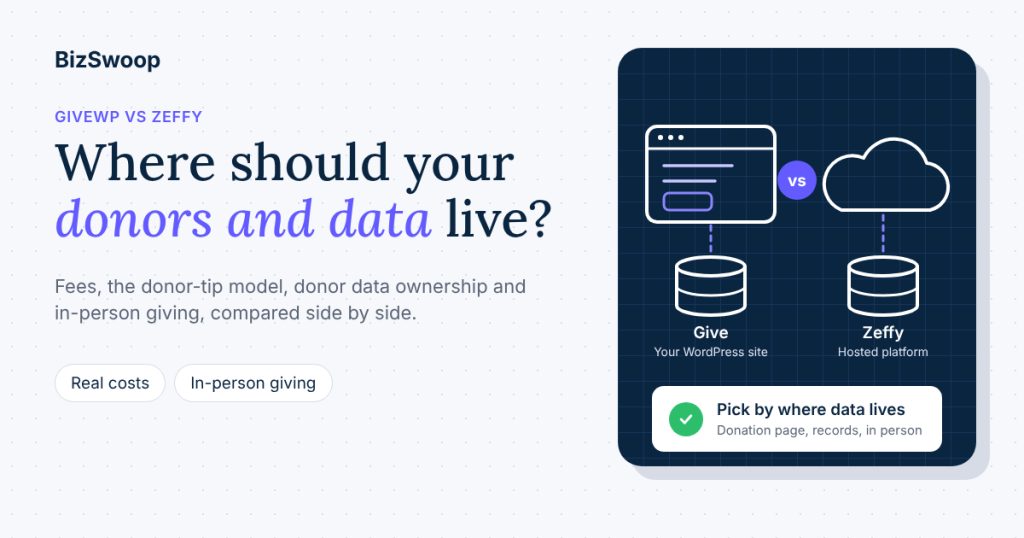
GiveWP vs Zeffy comes down to where you want your donation page, your donor data and your in-person giving to live. Zeffy is a hosted platform that charges nonprofits nothing and is funded by optional donor contributions. Give (formerly GiveWP) is a WordPress plugin you run on your own site, with donor records in your own database and a wider choice of in-person hardware.
Both are good tools, and both are used by thousands of nonprofits. They’re built on different ideas about who pays and who holds the data, and those ideas matter more than any single feature row. This comparison is for executive directors, development leads and finance teams deciding between the two, or wondering whether to move, ahead of GivingTuesday on December 1 and year-end giving.
BizSwoop has been in business since 2016 and a Stripe Partner since 2020. We make Tap To Donate for Give by Jovvie, the in-person giving plugin for Give, so we state our fees in full and say plainly where Zeffy is the better choice. Zeffy facts come from Zeffy’s own website and help center; Give facts from WordPress.org, Liquid Web (which owns Give) and Nexcess documentation. Pricing and features last checked November 10, 2026.
Key Takeaways
- Zeffy is free to the nonprofit; the cost moves to donors. Zeffy charges no platform, subscription or transaction fees and asks donors for a voluntary contribution to Zeffy at checkout.
- Give is free to install, with fees that depend on your setup. Give’s free Stripe gateway adds 2% on one-time online donations, with or without a paid licence, Stripe’s own processing applies, and paid add-ons come in a Liquid Web software bundle from $350 a year for one site.
- Donor data lives in different places. With Give, donor records sit in your own WordPress database; with Zeffy, they sit in your Zeffy account. Both can export.
- Zeffy’s Tap to Pay is phone-only. It works in six countries, supports no external card readers, and doesn’t work with recurring donations, auction or membership forms.
- Give with Jovvie covers more in-person scenarios. Tap to Pay, Stripe card readers, kiosk mode and recurring gifts in person, in 25 countries, for a 0.5%–2% platform fee on in-person donations only plus Stripe’s rate.
- Pick Zeffy for no website and no budget; pick Give for a WordPress site you want to own. The rest of the comparison is detail inside those two choices.
Should my nonprofit use GiveWP or Zeffy?
Your nonprofit should use Zeffy if it has no WordPress website, wants a free all-in-one platform with ticketing and auctions, and is comfortable with donors being asked to contribute to Zeffy. It should use Give if its website runs on WordPress, it wants the donation page and donor records on its own site, and it takes gifts in person with card readers, kiosks or monthly sign-ups.
| If your organization… | Better fit | Why |
|---|---|---|
| Has no website, or a website not on WordPress | Zeffy | Nothing to host or maintain; forms, tickets and donor records in one hosted account |
| Runs its website on WordPress and wants donation forms on its own domain | Give | A plugin on your site; donor records in your database |
| Needs the lowest possible cost to the organization this year | Zeffy | $0 to the nonprofit; donors may choose to contribute to Zeffy |
| Takes gifts at events with card readers or a self-serve kiosk | Give with Jovvie | Tap to Pay plus Stripe readers and kiosk mode; Zeffy is phone-only |
| Wants donors to start monthly gifts at the event table | Give with Jovvie | Recurring gifts in person are supported; Zeffy’s Tap to Pay doesn’t support recurring forms |
| Wants auctions, raffles and memberships in the same tool | Zeffy | Zeffy includes them; on Give they need other plugins |
If you already run Give and are tempted by Zeffy’s $0 headline, run the numbers in the fee section first. If you run Zeffy and are tempted by WordPress, plan the move around your recurring donors.
How do GiveWP and Zeffy compare at a glance?
They compare as a self-hosted plugin against a hosted platform: Give gives you control and charges by setup; Zeffy gives you simplicity and charges nothing to the nonprofit. The table uses each vendor’s own published pages.
| Give (formerly GiveWP) | Zeffy | |
|---|---|---|
| Platform type | WordPress plugin on your own site | Hosted platform (zeffy.com) |
| Cost to install | Free on WordPress.org | Free account |
| Paid plans | Liquid Web software bundle, from $350/year for one site (includes Give, The Events Calendar, LearnDash and Kadence) | None |
| Online fees to the nonprofit | Stripe’s processing rate; Give’s free Stripe gateway adds 2% on one-time donations | $0; Zeffy says it covers transaction costs |
| How the platform is funded | Paid licences and add-ons | Optional donor contributions at checkout |
| Where donor data lives | Your WordPress database (and your Stripe account) | Your Zeffy account |
| Recurring donations online | Yes, with Give’s Recurring Donations add-on (paid plans) | Yes |
| In-person giving | Tap To Donate for Give by Jovvie: Tap to Pay, Stripe readers, kiosk | Zeffy Tap to Pay app on a phone |
| Recurring gifts in person | Yes (monthly, quarterly, annual) | Not on Tap to Pay |
| In-person countries | 25 countries available now, plus 15 in preview (Jovvie country list) | 6 countries for Tap to Pay |
| Ticketing, auctions, raffles, store | Through other WordPress plugins | Built in |
Sources: Give on WordPress.org, Give by Liquid Web, Nexcess: Give’s free Stripe gateway, Tap To Donate for Give by Jovvie on WordPress.org, Zeffy vs GiveWP (Zeffy’s page), Zeffy Tap to Pay.
A note on Zeffy’s comparison page, which ranks first for this search. It lists GiveWP plans at $149, $349 and $499 a year, which don’t match Liquid Web’s current bundle pricing, and it says Give has no native in-person tools and “requires separate hardware purchase and third-party POS integration.” It’s true that in-person giving on Give comes from a separate plugin. That plugin is free, Give’s own WordPress.org page lists it (“Accept swipe, insert, or Tap to Pay card donations… with Jovvie”), and Tap to Pay on a phone needs no hardware at all.
Is Zeffy really free?
Yes, Zeffy is free for the nonprofit: it charges no platform, subscription or transaction fees, and says it covers card processing costs itself. It’s funded by donors, who are given “the option to leave a voluntary contribution to support Zeffy” when they give (Zeffy vs GiveWP).
That model is a fair trade for many small organizations, and it’s worth understanding what it means in practice:
- The cost moves to the donor’s checkout. Donors see a contribution request alongside their gift. Many leave one; some don’t. Your organization keeps 100% of the gift either way.
- Your donation total and the donor’s card charge can differ. A donor who adds a contribution to Zeffy pays more than the gift you receive, which is worth explaining on receipts and in donor questions.
- Tap to Pay is free too. Zeffy’s help center says Tap to Pay is free to use and Zeffy covers the transaction fees (Zeffy Tap to Pay).
Zeffy’s page also carries a headline figure for what GiveWP costs a year. We haven’t repeated it here because the page doesn’t show how it’s calculated; the worked example below uses only published rates.
What does Give cost?
Give costs nothing to install from WordPress.org; what you pay depends on the gateway and add-ons you use. There are three layers to budget for.
- Payment processing. Stripe charges its standard rate on every gift: in the US, 2.9% + 30¢ for domestic cards online and 2.7% + 5¢ in person, with Tap to Pay adding 10¢ per authorization (Stripe pricing). This applies on any platform that uses Stripe; Zeffy absorbs it, Give passes it to you.
- Give’s free Stripe gateway fee. The free Stripe gateway in Give “charges an additional 2% for processing one-time donations”; recurring donations aren’t charged it (Nexcess: Give’s free Stripe gateway). Buying a paid Give licence doesn’t remove it, despite what Zeffy’s comparison page says. This 2% applies to online donations only. It’s Give’s own gateway fee and has nothing to do with in-person giving.
- Paid add-ons. Give’s paid features, such as Recurring Donations and Fee Recovery, now come in a Liquid Web bundle from $350 a year for one site up to $999 a year for 100 sites, which also includes The Events Calendar, LearnDash and Kadence (Give by Liquid Web).
In-person giving adds one more line if you use it. Tap To Donate for Give by Jovvie is a free plugin with a free Jovvie account and no monthly fees or contracts; its platform fee is a small percentage on in-person donations only, 0.5% to 2% depending on your donation volume, in addition to Stripe’s processing rate (WordPress.org listing). No Give add-on or licence removes it. It applies only to gifts taken in person through Jovvie. Online Give donations are unaffected, and Jovvie works on the free Give plugin with no paid plan required. Some older Give-side pages quote a flat 2% for in-person donations. That was Jovvie’s launch rate; the current fee is 0.5% to 2%, depending on volume.
What does the “free” really cost? A worked example
Zeffy costs the nonprofit less in fees; Give costs more in fees but keeps the donor relationship and the data on your site. Here’s a year with $10,000 raised online in 200 one-time gifts of $50, plus a GivingTuesday event raising $5,000 in person from 100 gifts of $50 on a card reader, at US Stripe rates.
| Cost to the nonprofit | Give (free plugin, free Stripe gateway) + Jovvie | Zeffy |
|---|---|---|
| Online processing (2.9% + 30¢) | $350 | $0 (Zeffy covers it) |
| Give’s 2% on one-time online gifts | $200 | n/a |
| In-person processing (2.7% + 5¢) | $140 | $0 (Tap to Pay; Zeffy covers it) |
| Jovvie platform fee (0.5%–2%, by volume) | $25–$100 | n/a |
| Software licence | $0 on free Give; $350/year if you need paid add-ons | $0 |
| Total cost to the nonprofit | $715–$790 (plus $350 with the bundle) | $0 |
| Paid by donors | Nothing extra, unless you enable donor-covered fees | Optional contributions to Zeffy |
What the table can’t show:
- Donor-covered fees change the Give column. Give’s Fee Recovery add-on lets donors choose to cover processing costs, including on in-person gifts taken with Jovvie. Many donors do, which moves part of Give’s cost to donors in a way you control and that funds your gift, not a platform.
- Zeffy’s $0 depends on what Zeffy offers in person. The Zeffy column assumes all 100 event gifts can be taken on phones by contactless. Chip-and-PIN cards, a self-serve kiosk or a monthly sign-up at the table aren’t possible on Zeffy’s Tap to Pay.
- Staff time doesn’t appear in either column. If your website runs on WordPress and your giving runs on Zeffy, someone reconciles two donor lists. BizSwoop’s guide to nonprofit payment processing fees covers how to price that in.
Weighing Give against Zeffy before GivingTuesday or year-end? A Jovvie advisor can model your own gift mix on both, including when Zeffy is the better call, and show what in-person giving on your Give forms would look like before December 1.
Who owns the donor data?
With Give, your donor data is stored in your own WordPress database on your own hosting; with Zeffy, it’s stored in your Zeffy account on Zeffy’s platform. Both let you use and export your donors; the difference is where the master record lives and who controls the system around it.
That difference shows up in four places:
- Your website. Give’s donation forms, donor dashboard and receipts run on your domain and your theme. Zeffy’s forms are hosted by Zeffy and embedded or linked.
- Integrations. Give donors sit next to the rest of your WordPress site (membership, events, email plugins). Zeffy donors sit next to Zeffy’s own tools.
- Responsibility. Owning the data means owning its care: hosting, backups, updates and security for your WordPress site. A hosted platform does that for you.
- In-person gifts. With Jovvie, gifts at the event table are recorded as Give donations, alongside online gifts, on the same donor records and reports, and in your Stripe dashboard. Jovvie’s guide to recording in-person donations in GiveWP shows what that looks like.
For a WordPress organization, the simplest test is this: if your donors log in, read receipts and update monthly gifts on your website today, keep giving there.
Which is better for in-person donations?
Give with Tap To Donate for Give by Jovvie is better for in-person donations when you need card readers, a kiosk, recurring sign-ups or countries Zeffy doesn’t cover. Zeffy is better when phone-only contactless at a few events, at no cost to the organization, is all you need.
| In-person capability | Give + Tap To Donate for Give by Jovvie | Zeffy Tap to Pay |
|---|---|---|
| Tap to Pay on a phone | iPhone XS or later, or NFC Android 13+ | iPhone XS or later on iOS 16+, or NFC Android 13+; no iPads |
| External card readers | Stripe Reader M2, BBPOS WisePad 3, S700, WisePOS E, T600 and Verifone readers | Not supported |
| Chip-and-PIN cards | Yes, on a reader | Contactless only |
| Self-serve kiosk | Kiosk mode on any Give form; resets after each gift | Not offered |
| Recurring gifts in person | Monthly, quarterly and annual | Not compatible with recurring donations |
| Forms that work in person | Your Give donation forms | Not auction or membership forms |
| UK Gift Aid on in-person gifts | Yes, with Give’s Gift Aid add-on on the form | Not available on Tap to Pay |
| Countries | 25 available now, plus 15 in preview, following Stripe Terminal availability (Jovvie country list) | US, Canada, UK, Ireland, Germany, Australia |
| Cost to the nonprofit | 0.5%–2% platform fee on in-person donations only, plus Stripe’s processing rate | $0 |
| Works offline | No; needs Wi-Fi or mobile data | Check with Zeffy |
Sources: WordPress.org listing, Jovvie for Give, Zeffy Tap to Pay. Zeffy’s help article also notes a change to Android-only app compatibility from July 1, 2026, so check current iPhone support with Zeffy before relying on it.
How it works with Give: Tap To Donate for Give by Jovvie runs on Jovvie Checkout. A volunteer opens your existing Give form on a phone, tablet or reader, enters the amount and donor details, chooses “Swipe, Insert or Tap Donations”, and the donor pays on the device. The receipt shows, the gift is recorded in Give, and the form resets for the next donor (Jovvie: take a donation). The platform owner’s own explainer, How Tap to Donate Technology Works (Liquid Web), describes the same form-processor-reader setup.
Can donors start a recurring gift in person?
On Give with Jovvie, yes: donors can start monthly, quarterly or annual gifts on in-person transactions, using Give’s Recurring Donations add-on. On Zeffy’s Tap to Pay, no: Zeffy says Tap to Pay isn’t compatible with recurring donations.
This matters most on GivingTuesday and at year-end events, when donors are most willing to commit to a monthly gift and least willing to go home and fill in a form. A donor who signs up at the table on Give becomes a recurring donor on your own site, managing the gift from your donor dashboard. Jovvie’s guide to recurring donations in person covers the ask and the setup.
When is Zeffy the better choice?
Zeffy is the better choice when your organization has no WordPress site to build on, wants a free all-in-one platform, and doesn’t need card readers, kiosks or recurring sign-ups in person. In those cases Zeffy’s $0 model is hard to beat.
- No website, or no one to maintain one. Zeffy hosts everything; Give needs a WordPress site that someone updates and backs up.
- Ticketing, auctions, raffles and memberships in one tool. Zeffy includes them. On WordPress you’d assemble them from separate plugins.
- A small budget and occasional events. If your in-person giving is a few contactless gifts on volunteer phones in one of Zeffy’s six countries, Tap to Pay does the job at no cost.
- Donors comfortable with a platform contribution request. If your board is happy with that checkout experience, the savings are real.
When is Give the better choice?
Give is the better choice when your website already runs on WordPress and you want donation forms, donor records and receipts on your own site, or when in-person giving goes beyond phone contactless. It’s also the better fit if your board would rather pay a clear fee than ask donors to fund a platform.
- Your site, your data. Donation pages on your domain and donor records in your database.
- Full in-person toolkit. With Tap To Donate for Give by Jovvie: Tap to Pay, Bluetooth and countertop Stripe readers, kiosk mode and recurring sign-ups, in 25 countries, plus UK Gift Aid declarations on in-person gifts with Give’s Gift Aid add-on.
- One record for every gift. Online and in-person donations appear together in Give and in Stripe, so year-end receipts and reporting come from one place.
- A clean donor checkout. No platform contribution request; if you want donors to help with costs, Fee Recovery asks them to cover processing for your organization.
If you’re comparing more than these two, BizSwoop’s in-person donation tools comparison covers Give with Jovvie, Givebutter, Zeffy and Donorbox side by side, and Jovvie’s guide to Give’s Stripe gateway vs Tap To Donate explains how the online and in-person pieces fit together on Give.
Frequently asked questions
Should my nonprofit use GiveWP or Zeffy?
Use Zeffy if you have no WordPress website and want a free hosted platform funded by donor contributions. Use Give if your website runs on WordPress and you want donation forms and donor records on your own site, especially if you take gifts in person with card readers, kiosks or monthly sign-ups.
How much does the GiveWP plugin cost?
The Give plugin is free on WordPress.org. Give’s paid add-ons, such as Recurring Donations and Fee Recovery, come in a Liquid Web software bundle from $350 a year for one site (November 2026). Stripe’s processing rate applies to gifts, and Give’s free Stripe gateway adds 2% on one-time online donations, which a paid licence doesn’t remove. In-person gifts taken with Jovvie carry a separate 0.5%–2% platform fee, by volume.
Is Zeffy really free?
Yes, for the nonprofit. Zeffy charges no platform, subscription or transaction fees and says it covers card processing costs. It’s funded by optional contributions that donors are invited to add at checkout, so the cost moves from the organization to donors who choose to contribute.
Can Zeffy take card-reader donations?
No. Zeffy’s help center says it doesn’t currently support connecting an external card reader. In-person gifts on Zeffy are taken with its Tap to Pay app on a compatible phone, in the US, Canada, UK, Ireland, Germany and Australia.
Is GiveWP legit?
Yes. Give is one of the most widely used donation plugins for WordPress, with more than 100,000 active installations on WordPress.org, and it’s owned by Liquid Web. It processes payments through established gateways such as Stripe and PayPal, so card data is handled by the processor.
Can I use Zeffy on a WordPress site?
Yes. Zeffy forms can be embedded on a WordPress site, and Zeffy publishes a WordPress plugin for a donate button. The donor records and the form itself still live on Zeffy’s platform rather than in your WordPress database.
Can donors start a monthly gift in person on Zeffy or Give?
On Give with Tap To Donate for Give by Jovvie, yes: monthly, quarterly and annual gifts can start in person, using Give’s Recurring Donations add-on. Zeffy’s Tap to Pay isn’t compatible with recurring donations.
What is the best donor management software for nonprofits?
The best donor management software is the one where all of your gifts, online and in person, land on one donor record your team actually uses. For WordPress organizations that’s often Give; for organizations without a website, an all-in-one platform such as Zeffy. Match the tool to where your donors already interact with you.
How do I move from Zeffy to Give?
Export your donors and donation history from Zeffy as CSV, import them with Give’s import tool, then ask monthly donors to restart their gifts on your Give form, because card subscriptions don’t transfer between platforms. Test one small event before switching your main campaigns.
Talk to a Jovvie advisor about GiveWP vs Zeffy
Zeffy and Give are both sound choices; the right one depends on whether you want a hosted platform funded by donors or a WordPress plugin you own. If your organization runs on Give, Jovvie adds Tap to Pay, card readers, kiosk mode and recurring sign-ups to the forms you already have. It’s free to install with no monthly fees; a platform fee of 0.5% to 2% applies to in-person donations only, depending on your donation volume, in addition to Stripe’s processing rate. A Jovvie advisor can compare your own numbers on both before GivingTuesday on December 1 and year-end giving.
Sources and primary documentation: Tap To Donate for Give by Jovvie on WordPress.org, Jovvie for Give, Jovvie: take a donation, How Tap to Donate Technology Works (Liquid Web), Give on WordPress.org, Give by Liquid Web, Nexcess: Give’s free Stripe gateway, Stripe pricing, Zeffy vs GiveWP (Zeffy’s page), Zeffy Tap to Pay.
