
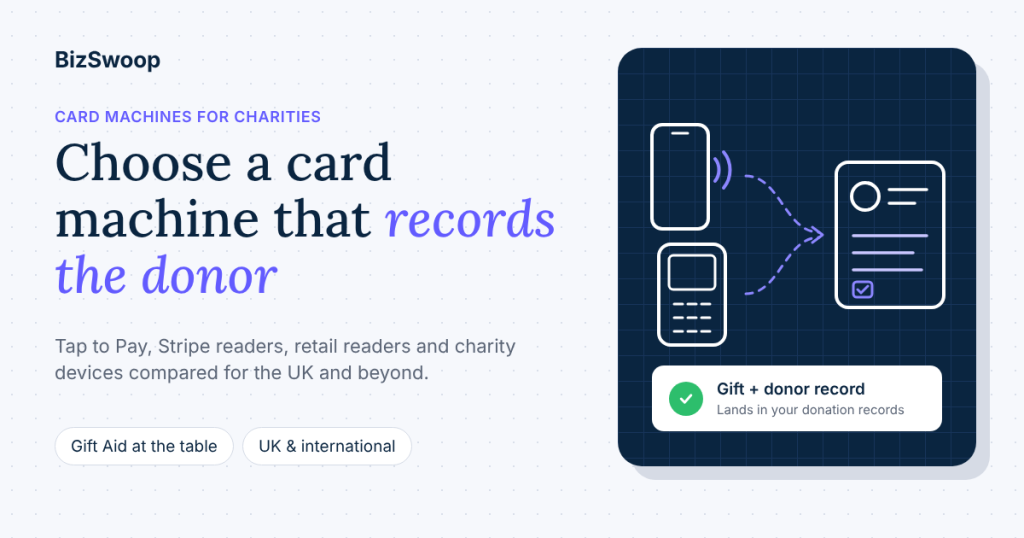
Most charities don’t need a contract card machine. Of all the card machines for charities, a phone with Tap to Pay, or a small Stripe reader such as the BBPOS WisePad 3, is enough for collections, events and the shop counter, as long as it’s linked to your donation system so each gift and the donor’s details land in your records instead of in a separate payments app.
That’s the short answer to which card machine is best for a charity. The longer answer depends on three things the price tag doesn’t show: what the machine records about the donor, whether you can claim Gift Aid on the gift, and whether it works in your country. This guide compares the options UK, Irish, Australian, New Zealand and Canadian charities actually choose between: pay-as-you-go readers, contract terminals, charity collection devices, phone Tap to Pay and a Stripe reader linked to your donation forms.
BizSwoop has built payment software since 2016 and has been a Stripe Partner since 2020. We make Tap To Donate for Give by Jovvie, one of the options below, so we give our own fees in full and say where another option is the better fit. Prices and availability come from each provider’s own pages, checked on 10 November 2026.
Key Takeaways
- A phone or a small reader beats a contract terminal for most charities. Pay-as-you-go readers and Tap to Pay have no monthly fee or minimum term, which suits income that rises at Christmas and events and drops in between.
- The card machine should record a donor, not just a payment. A retail reader logs an amount; a reader linked to your donation forms records who gave, so thank-yous, receipts and Gift Aid start from the same record.
- Give with Jovvie can take the Gift Aid declaration at the table. With Give’s Gift Aid add-on on your form, the donor’s declaration is recorded with the in-person gift, which Zeffy’s Tap to Pay and retail readers don’t offer.
- Gift Aid has two routes at the reader. Contactless gifts of £30 or less can go through the Gift Aid Small Donations Scheme with no declaration; larger gifts need a declaration with the donor’s name and home address.
- Stripe’s UK in-person rate is 1.4% + 10p for UK and EEA cards. Tap to Pay adds 10p per authorisation, and a BBPOS WisePad 3 costs £49 excluding VAT on Stripe’s UK site.
- Reader choice changes by country. Outside the US, Stripe’s Bluetooth reader is the BBPOS WisePad 3, not the Stripe Reader M2; Tap to Pay on iPhone and Android is available in the UK, Ireland, Australia, New Zealand and Canada.
Which card machine is best for a charity?
The best card machine for a charity is the one that takes the cards your donors carry and records each gift where your donor records already live. For most charities that means a phone with Tap to Pay for staffed collections, plus one Bluetooth or countertop reader for chip-and-PIN cards and the front desk.
Here is the verdict by situation:
| If your charity… | Best fit | Why |
|---|---|---|
| Runs its website and online giving on Give (formerly GiveWP) for WordPress | Tap To Donate for Give by Jovvie with Tap to Pay or a Stripe reader | In-person gifts land on the same Give forms, donor records and reports as online gifts |
| Needs a cheap reader for a small shop or café and doesn’t track donors | A pay-as-you-go reader (SumUp, Square, Zettle) | Low upfront cost, no monthly fee, simple sales app |
| Wants an unattended contactless point in a church, museum or reception | A charity collection device, or a kiosk on your own donation form | Built for “tap a fixed amount and walk away” giving |
| Takes high volumes at tills every day and wants a bank-supplied machine | A contract terminal | Negotiated rates can suit very high, steady card volume |
| Has no website and holds a few events a year | A free giving app such as Zeffy’s Tap to Pay | Nothing to install; donor records live in the app |
If you can only answer one question before choosing, make it this one: where will your team look up this donor next month? Pick the machine that writes to that place.
What types of card machine can a charity use?
A charity can use five types of card machine: a pay-as-you-go reader, a contract terminal, a charity collection device, Tap to Pay on a phone, or a reader linked to its own donation forms. They differ less in how the donor pays (all take contactless cards and phone wallets) than in what they cost to run and what they record.
| Option | Cost to start | Per-gift cost | Donor details captured | Gift Aid declaration at the point of giving | Works with your donation forms |
|---|---|---|---|---|---|
| Pay-as-you-go reader (SumUp, Square, Zettle) | Reader from about £29 excl. VAT (Zettle, new users); Square and SumUp Tap to Pay need no reader | 1.69% (SumUp), 1.75% (Square, Zettle) on UK in-person cards | Amount and card type; built for sales, not donors | Not built for it | No; a separate sales app |
| Contract terminal (bank or acquirer) | Monthly rental, usually a minimum term | Negotiated | Amount only | No | No |
| Charity collection device (GoodBox, Give A Little, Toucan and others) | Device purchase or lease, often with a monthly plan; quote-based | Varies by provider | Varies; some offer Gift Aid or contact opt-in | Varies; ask the provider | Usually its own dashboard |
| Phone Tap to Pay in a giving app (e.g. Zeffy) | £0 | Zeffy: £0 to the charity, funded by optional donor contributions | Donor details in the app | Zeffy: not available on Tap to Pay in the UK | The app’s own forms |
| Stripe reader or Tap to Pay linked to Give with Jovvie | £0 with Tap to Pay; WisePad 3 £49 excl. VAT | Stripe 1.4% + 10p (UK/EEA cards) plus a 0.5%–2% Jovvie platform fee on in-person donations only | The fields on your Give form, saved to the donor record | Yes, with Give’s Gift Aid add-on on the form | Yes, your existing Give forms |
Sources: SumUp pricing, Square UK pricing, Zettle pricing, Zeffy Tap to Pay, Stripe UK Terminal, Stripe UK pricing, Tap To Donate for Give by Jovvie on WordPress.org. Charity collection devices don’t publish comparable price lists, so get a current written quote that shows device, monthly and per-donation costs before you sign.
Two points the table can’t show. Pay-as-you-go readers are retail tools: they’re cheap and reliable, but a donation taken on one is a sale in a sales app, and someone has to copy the donor into your CRM by hand. And charity collection devices are excellent at one job, unattended fixed-amount taps, but they’re a second system with a second dashboard.
How much does a charity card machine cost?
A charity card machine costs three things: the reader (if you need one), the payment processor’s rate on each gift, and any platform or subscription fee on top. Comparing only the headline percentage hides the other two.
Here is what each layer costs on Stripe in the UK, which is the processor Jovvie uses:
- Reader. £0 if you use Tap to Pay on a compatible iPhone or Android phone. Stripe’s UK site lists the BBPOS WisePad 3 at £49 and the Stripe Reader S700 and S710 at £229, excluding VAT (Stripe UK Terminal).
- Processing. 1.4% + 10p for UK and EEA cards and 2.9% + 10p for other cards, with Tap to Pay adding 10p per authorisation (Stripe UK pricing).
- Platform fee. Tap To Donate for Give by Jovvie is a free plugin with a free Jovvie account and no monthly fees or contracts. Its platform fee is a small percentage on in-person donations only, 0.5% to 2% depending on your donation volume, in addition to Stripe’s processing rate (WordPress.org listing). No Give add-on removes it, and older pages quoting a flat 2% show the launch rate. Online Give donations are unaffected.
A worked example: a £20 contactless gift on a WisePad 3 costs 38p in Stripe processing (1.4% + 10p) plus 10p to 40p in Jovvie’s platform fee, so 48p to 78p in total. Taken with Tap to Pay on a phone, add 10p. The same £20 on SumUp’s pay-as-you-go plan costs about 34p, and on Square or Zettle 35p.
So on a single small gift, a retail reader is cheaper. The trade is what you get for the difference: a gift recorded against a named donor in your donation system, on the same forms and reports as online giving, with no copying between systems. For a charity that thanks, receipts and claims Gift Aid on its donors, that staff time usually outweighs a few pence per gift. For a charity shop selling bric-a-brac with no donor follow-up, it doesn’t, and a retail reader is the better buy.
For a deeper look at how processing, platform and tip-funded models compare, see BizSwoop’s guide to nonprofit payment processing fees.
Can a card machine capture Gift Aid?
A card machine on its own can’t capture Gift Aid, because a Gift Aid declaration needs details a card doesn’t carry. What matters is whether the system behind the machine records the declaration, or whether the gift qualifies under the Gift Aid Small Donations Scheme, which needs no declaration.
There are two routes for gifts taken on a card machine in the UK:
- Gift Aid Small Donations Scheme (GASDS). Contactless card donations of £30 or less collected on or after 6 April 2019 can qualify, with no declaration, up to £2,000 of donations per tax year. Your charity must also claim ordinary Gift Aid in the same tax year, and your GASDS claim can’t exceed ten times that Gift Aid claim (GOV.UK: Small Donations Scheme). This route suits collection tins replaced by contactless readers.
- A Gift Aid declaration. For anything above that, the donor must give a declaration that includes their full name, full home address with postcode, a description of the gift, your charity’s name, and a statement that they’ve paid enough Income Tax or Capital Gains Tax and agree to Gift Aid being claimed. You must keep declaration records for six years after the most recent donation you claimed on (GOV.UK: Gift Aid declarations).
How each option handles that:
- Pay-as-you-go readers and contract terminals record a payment. For GASDS that can be enough; for full Gift Aid you need a paper or online declaration collected separately and matched to the payment later.
- Zeffy’s Tap to Pay doesn’t offer Gift Aid on Tap to Pay payments in the UK, according to Zeffy’s own help article.
- Charity collection devices vary. Ask each provider whether the device collects a declaration and how it reaches your Gift Aid claim.
- Give with Jovvie takes the gift on your Give donation form, so the donor fields on that form are saved to the donor record in Give. With Give’s Gift Aid add-on enabled on the form, the donor ticks the Gift Aid declaration and gives their home address on the same screen, and the in-person gift is recorded with its Gift Aid status, ready for your claim. Nothing has to be matched up afterwards.
The practical rule for a staffed table: if the gift is £30 or less and contactless, GASDS may cover it; if it’s larger, collect the name, address and declaration at the moment of giving, because chasing it afterwards rarely works. A Give form with the Gift Aid add-on does that in one step.
Choosing card machines before GivingTuesday or the Christmas appeal? GivingTuesday is coming up, and a Jovvie advisor can map your collections, events and front desk to the right mix of Tap to Pay and readers, including when a retail reader or a collection device is the better call.
Which Stripe readers and phones work in the UK, Ireland, Australia, New Zealand and Canada?
In all five countries, Stripe supports Tap to Pay on iPhone and Android, the BBPOS WisePad 3 Bluetooth reader, and the BBPOS WisePOS E, Stripe Reader S700, S710 and T600 smart readers. The Stripe Reader M2 is a US-only reader, so charities outside the US should buy the WisePad 3 instead.
| Country | Tap to Pay | Bluetooth reader | Countertop and smart readers | Local cards and notes |
|---|---|---|---|---|
| United Kingdom | iPhone and Android | BBPOS WisePad 3 | WisePOS E, S700, S710, T600; Verifone in private preview | Contactless may prompt for chip and PIN under Strong Customer Authentication |
| Ireland | iPhone and Android | BBPOS WisePad 3 | WisePOS E, S700, S710, T600; Verifone in private preview | Same SCA chip-and-PIN prompts as the UK; payments in euros |
| Australia | iPhone and Android | BBPOS WisePad 3 | WisePOS E, S700, S710, T600; Verifone in private preview | eftpos debit cards supported |
| New Zealand | iPhone and Android | BBPOS WisePad 3 | WisePOS E, S700, S710, T600; Verifone in public preview | eftpos-only cards aren’t supported; co-branded Visa or Mastercard debit cards are |
| Canada | iPhone and Android | BBPOS WisePad 3 | WisePOS E, S700, S710, T600; Verifone in public preview | Interac debit supported; Interac contactless above CA$100 needs insert and PIN |
Source: Stripe Terminal regional considerations and Stripe Terminal global availability, checked 10 November 2026. The Stripe account and the reader’s location must be in the same country, and payments are in local currency.
What this means for Jovvie: Tap To Donate for Give by Jovvie is available now in 25 countries, including all five above, with 15 more in preview, following Stripe Terminal availability (Jovvie country list). Readers are bought from your own Stripe account, and the Jovvie app runs directly on the T600, S700, S710 and Verifone smart readers (Jovvie for Give). Tap to Pay needs an iPhone XS or later, or an NFC Android phone on Android 13 or newer.
Why a reader matters even with Tap to Pay: in the UK and Ireland, a contactless card can be asked for chip and PIN after several taps or above the bank’s limit. Tap to Pay can ask for the PIN on screen where the card supports it; if it doesn’t, the payment declines and the donor needs another card (Stripe regional considerations). One WisePad 3 at the table avoids losing that gift.
For reader-by-reader detail mapped to donation scenarios, see BizSwoop’s guide to the best card readers for nonprofit donations, and for phones, Jovvie’s guide to Tap to Pay donations on iPhone and Android.
How do you set up a card reader for your charity’s donation forms?
You set up a card reader for a Give donation form in five steps: install the plugin, connect Jovvie and Stripe, add a location and reader, turn Jovvie on for your forms, and run a test gift. It takes about five minutes before the reader arrives.
- Install the plugin. In WordPress, go to Plugins › Add New Plugin, search for Tap To Donate for Give by Jovvie, then install and activate it. Give must already be active.
- Connect Jovvie and Stripe. Go to Donations › Settings › Payment Gateways › Jovvie Payments, open Account Management and click Connect with Jovvie Payments. Sign in or create a free Jovvie account and link your Stripe account.
- Add a location and a reader. In the Location & Terminals settings, add a location with your country’s address. Order a WisePad 3 or smart reader from your Stripe Dashboard, or use Tap to Pay on a phone with the Jovvie app.
- Turn on Jovvie for your forms. Enable the Jovvie Payments gateway on the Give forms you’ll use in person, so volunteers see the “Swipe, Insert or Tap Donations” option.
- Run a test gift, then go live. Jovvie follows Give’s test mode, so turn test mode on, take a gift on a simulated reader, check it appears in Give, then switch test mode off.
Tap To Donate for Give by Jovvie runs on Jovvie Checkout, so Jovvie’s documentation calls it Jovvie Checkout for GiveWP. Step-by-step screens are in Jovvie’s install and connect guide and take a donation guide. After a gift, the receipt shows and the form returns to the start after about seven seconds, ready for the next donor. If a connection drops before the page returns to your site, the donation can show as Pending even though the donor was charged, so check your Stripe Dashboard before taking the gift again.
Can you leave a card machine unattended for donations?
Yes, a charity can leave a card machine unattended if it’s set up as a self-serve kiosk with fixed or suggested amounts and is secured in place. Charity collection devices are built for this, and a kiosk on your own donation form does the same job without a second system.
With Jovvie, kiosk mode turns a tablet on a stand, or a Stripe Reader S700, into a self-serve station: the Give form resets after each gift so the next visitor can give without staff (WordPress.org listing). Jovvie’s GiveWP donation kiosk guide covers placement, amounts and security.
Three things to plan for an unattended point:
- Connectivity. Neither Jovvie nor most giving apps work offline; the device needs Wi-Fi or mobile data so Stripe can authorise the payment. For outdoor sites, see Jovvie’s guide to taking donations at outdoor events.
- Gift Aid. An unattended tap of £30 or less can go through GASDS; for larger kiosk gifts, put the Gift Aid declaration on the kiosk form so donors can opt in as they give.
- Physical security. Lock the tablet or reader to a stand, and check it at opening and closing.
Do charities need to be PCI compliant to take card donations?
Yes, every charity that accepts cards must meet the Payment Card Industry Data Security Standard (PCI DSS), but using a certified reader that encrypts card data keeps most of that burden off your systems. With Stripe Terminal readers and Tap to Pay, card details go from the reader to Stripe and never touch your website or your Give database.
Your remaining duties are mostly practical: don’t write card numbers down, don’t take card details over the phone into a spreadsheet, and complete the self-assessment your processor asks for. BizSwoop’s guide to PCI compliance for in-person donations explains what nonprofits and charities actually have to do.
When is a retail reader or charity device the better choice?
A retail reader or charity device is the better choice when donor follow-up doesn’t matter to the gift, or when your charity doesn’t run its donations on WordPress. Being honest about this saves you buying the wrong tool.
- A charity shop selling goods. A sale isn’t a donation. SumUp, Square or Zettle, or a point-of-sale system, is the right tool; Gift Aid on donated goods runs through the retail Gift Aid scheme, not the card machine.
- A tin replacement in a church porch. A charity collection device or a kiosk both work. Choose the device if you want a fixed-amount tap with no screen to manage; choose a kiosk on your Give form if you want the gift in your donor records.
- No website, or a website not on WordPress. Jovvie works with Give on WordPress. Without that, a hosted giving app or a collection device is simpler.
Where Give with Jovvie fits best: charities whose online giving already runs on Give and who want in-person gifts on the same forms, donor records and reports. The platform owner’s own explainer, How Tap to Donate Technology Works (Liquid Web), walks through how the form, processor and reader fit together, and Give’s own WordPress.org page lists in-person card donations with Jovvie.
Frequently asked questions
Which card machines are best for charities?
The best card machines for charities are a phone with Tap to Pay for staffed collections and a small reader such as the BBPOS WisePad 3 for chip-and-PIN cards, linked to the system where you keep donor records. Contract terminals rarely suit charities because of monthly fees and minimum terms.
How do you take card payments for charity?
You take card payments for charity with a card reader or a phone that supports Tap to Pay, connected to a payment processor such as Stripe. For donations, connect it to your donation forms so each gift records the donor’s details; on a Give site, Tap To Donate for Give by Jovvie does this.
Can a charity have a card machine?
Yes. Any registered charity can open a processor account (Stripe, SumUp, Square, Zettle or a bank) and use a card machine. You’ll need the charity’s legal and bank details for the account, and the reader’s location must be in the same country as the account.
What is the best card reader for nonprofit organizations?
For nonprofits in the US, the Stripe Reader M2 is the usual Bluetooth choice; elsewhere, it’s the BBPOS WisePad 3. Countertop readers such as the Stripe Reader S700 suit front desks and kiosks. The best one is the reader your donation system supports.
What is the best payment system for nonprofits?
The best payment system for a nonprofit is the one built into the platform that holds its donor records, so online and in-person gifts share one database. For WordPress organizations on Give, that’s Give’s online gateways plus Jovvie for in-person gifts.
Can I claim Gift Aid on contactless donations?
Yes. Contactless card donations of £30 or less can be claimed under the Gift Aid Small Donations Scheme without a declaration, up to £2,000 a tax year, if you also claim ordinary Gift Aid that year. Larger contactless gifts need a full Gift Aid declaration from the donor.
Can Give with Jovvie capture Gift Aid on in-person donations?
Yes. With Give’s Gift Aid add-on on your donation form, the donor makes the Gift Aid declaration and gives their home address on the form at the table or kiosk, and the in-person gift is recorded in Give with its Gift Aid status. Zeffy’s Tap to Pay doesn’t offer Gift Aid in the UK.
Does a charity card machine work without internet?
Most don’t. Stripe readers used with Jovvie need Wi-Fi or mobile data to authorise each gift; there’s no offline mode. Plan a hotspot or mobile-data reader for outdoor collections.
Do I need a card reader, or is a phone enough?
A phone with Tap to Pay is enough for most contactless gifts. Add a WisePad 3 if donors use chip-and-PIN cards, if gifts are above the contactless limit, or if you want a dedicated device for volunteers who don’t want to use their own phones.
Talk to a Jovvie advisor about card machines for your charity
There’s no single best card machine for charities, only the best fit for where your donors and Gift Aid records live. If your charity runs on Give, Jovvie adds Tap to Pay, Stripe readers and kiosk mode to the forms you already have, with Gift Aid declarations recorded alongside each in-person gift when you use Give’s Gift Aid add-on. It’s free to install with no monthly fees; a platform fee of 0.5% to 2% applies to in-person donations only, depending on your donation volume, in addition to Stripe’s processing rate. A Jovvie advisor can check your country, readers and Gift Aid setup before your next collection or GivingTuesday.
Sources and primary documentation: Tap To Donate for Give by Jovvie on WordPress.org, Jovvie for Give, Jovvie: install and connect, Jovvie: take a donation, How Tap to Donate Technology Works (Liquid Web), Give on WordPress.org, Stripe UK Terminal, Stripe UK pricing, Stripe Terminal regional considerations, Stripe Terminal global availability, GOV.UK: Claim Gift Aid, GOV.UK: Gift Aid declarations, GOV.UK: Small Donations Scheme, SumUp pricing, Square UK pricing, Zettle pricing, Zeffy Tap to Pay.
