
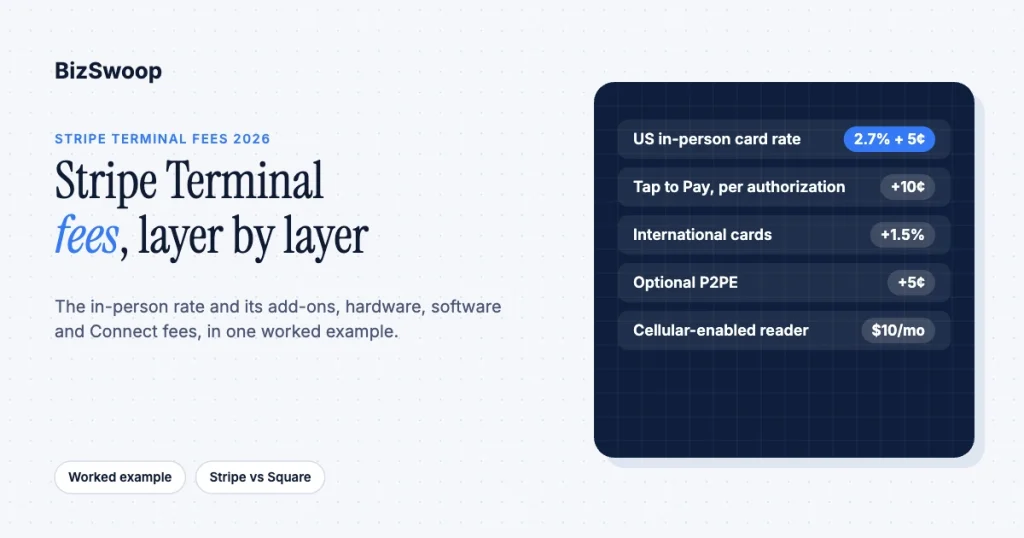
Stripe Terminal costs 2.7% + 5¢ per successful in-person card transaction in the US on standard pricing. There are no setup fees, no monthly account fees, and no minimums, plus a one-time hardware cost from $59 for the Stripe Reader M2 to $329 for the Stripe Reader T600. A few add-ons apply in specific cases: +10¢ per Tap to Pay authorization, +1.5% for international cards, +5¢ if you opt into point-to-point encryption (P2PE), and $10 per reader per month for cellular data. That base rate is the whole story for a direct merchant, but only the first layer for a platform or reseller: Stripe Connect adds an application fee, and an integration or POS adds its own software cost. This guide models the full stack in one blended effective cost, with a worked example at a realistic monthly volume.
We build and operate on Stripe Terminal in production. BizSwoop runs its own Stripe Connect platform at payments.bizswoop.app, and Jovvie has shipped in-person payments for WordPress and WooCommerce merchants since 2016, so the fee mechanics below are ones we reconcile against real payouts. Every number is anchored to Stripe’s Terminal pricing and was re-checked in November 2026; verify against it before you sign anything, because hardware prices vary by country and change over time. For the device-by-device view, see Stripe Terminal hardware costs explained.
Key Takeaways
- The base rate is 2.7% + 5¢. That is Stripe’s US in-person rate per successful card transaction on standard pricing, the same for chip, swipe, and contactless.
- Tap to Pay costs 10¢ more per authorization. Stripe lists a +10¢ add-on for Tap to Pay on iPhone and Android, so a phone tap costs 2.7% + 15¢.
- There is no monthly account fee. The only recurring fee on standard pricing is $10 per reader per month if you use cellular data.
- Saved cards are billed at online rates. A card captured in person and charged later is billed at Stripe’s online card rate, not the in-person rate.
- Connect adds your application fee. With destination charges, Stripe’s fee comes out of the platform’s balance, so the application fee has to cover it.
- Your blended rate is what matters. In our worked example, the rate, hardware, and a POS subscription add up to about 3.10% of volume.
What does Stripe Terminal cost?
Stripe Terminal has two cost components for a direct merchant: a per-transaction fee of 2.7% + 5¢ for in-person card payments in the US, and a one-time hardware purchase of $59 to $329 depending on the reader. There are no setup, PCI, statement, or monthly account fees on standard Stripe pricing. Recurring costs beyond the per-transaction fee only appear if you choose them: cellular data on a reader, optional P2PE, or a custom enterprise contract.
That simplicity is why Terminal appeals to businesses coming off traditional merchant accounts, where the effective rate is buried under gateway fees, PCI non-compliance penalties, batch fees, and tiered “qualified/non-qualified” pricing. The nuance that changes the bill appears once you add Tap to Pay, international cards, Connect, a software layer, or a custom contract. The rest of this guide handles each layer in turn.
What is the Stripe Terminal rate per in-person transaction?
The card-present rate for Stripe Terminal in the US is 2.7% + 5¢ per successful charge, flat across chip, swipe, and contactless on a reader, with a 10¢ add-on when the card is tapped on a phone using Tap to Pay. Card-present rates are lower than Stripe’s online rate (2.9% + 30¢) because issuers and card brands charge less for card-present transactions, which Stripe explains in its Terminal pricing help article.
| In-person interaction | Stripe Terminal US rate |
|---|---|
| Chip (insert / EMV) on a reader | 2.7% + 5¢ |
| Contactless tap (card or wallet) on a reader | 2.7% + 5¢ |
| Magstripe swipe on a reader | 2.7% + 5¢ |
| Tap to Pay on iPhone or Android | 2.7% + 5¢, +10¢ per authorization |
| Optional point-to-point encryption (P2PE) | +5¢ per authorization |
| International card | +1.5% |
One exception trips people up. When a card is presented and used immediately, you get the card-present rate. When you save that card at the reader for later reuse (card-on-file, a future renewal, a no-show charge), the later charge is billed at Stripe’s online rate, because the card is no longer present. Stripe states this in its Terminal pricing help article. If your model depends on capturing a card in person and charging it again later, budget the online rate for the second charge.
Disputes and currency conversion carry their own fees that apply to Terminal as they do online: a $15 fee for each dispute received, and a conversion fee where a charge converts currencies. They are on Stripe’s pricing page and belong in your effective-rate math if you take out-of-country cards.
Does Stripe Terminal charge monthly, setup, or Tap to Pay fees?
Stripe Terminal has no monthly account fee and no setup fee on standard pricing, but it does charge a +10¢ per-authorization add-on for Tap to Pay and $10 per reader per month for cellular data on cellular-enabled readers. Both are listed on Stripe’s Terminal page. A tap on a phone therefore costs 2.7% + 15¢, while the same tap on an M2 or S700 costs 2.7% + 5¢.
Two more caveats keep this honest:
- Custom (enterprise) pricing can add a per-reader fee. On a negotiated plan, you may pay a Terminal Use Fee per active reader, tiered by device class: Compact (M2, WisePad 3), Smart (WisePOS E, Verifone M425 and P630), and Smart Advanced (S700, S710, T600, Verifone V660p and UX700). The amount is in your contract, not published; Stripe documents the tiers in its Terminal pricing help article. If you are quoted custom rates, ask about the Use Fee before comparing them to standard pricing.
- Custom online rates do not carry over to Terminal. A negotiated online rate does not automatically apply to Terminal transactions, which are priced separately. Confirm your in-person rate explicitly.
What do the Stripe Terminal readers cost?
Stripe Terminal hardware is a one-time purchase of $59 to $329 per reader in the US, and which reader you buy depends on use case, not just price. The compact mobile reader is cheapest; smart readers that run your POS app on the device cost more because they are an Android computer with a card reader attached.
| Reader | US price | Form factor | Best for |
|---|---|---|---|
| Tap to Pay (iPhone/Android) | $0 hardware | Software on an existing phone | No-hardware start, mobile acceptance |
| Stripe Reader M2 | $59 | Compact Bluetooth reader, pairs to a phone or tablet | Mobile, low-cost, pop-ups, field sales |
| BBPOS WisePOS E | $249 | Smart touchscreen reader | Countertop where you don’t need a custom app |
| Stripe Reader S700 | $299 | Smart Android reader that runs your POS app | Full-featured retail checkout |
| Stripe Reader S710 | $299 (+$10/month cellular) | S700 with 4G/LTE cellular | Roaming or no-Wi-Fi deployments |
| Stripe Reader T600 | $329 (+$39 optional Reader Hub) | 8-inch countertop smart reader | Fixed counter with a large customer display |
Two accuracy notes, because third-party pages get these wrong. First, the S700 is now $299, the same as the S710; older articles still quote a higher price. Second, the BBPOS WisePad 3 is not sold in the US (Stripe’s device catalog marks it unavailable), even though many comparison articles list it. Confirm current prices on Stripe’s devices page at purchase time. For the reader-by-reader choice, see Stripe Reader M2 vs S700.
The cheapest entry point is Tap to Pay, which needs no reader: you accept contactless cards and wallets on a compatible phone at 2.7% + 15¢ per tap. For a field tech or sales rep, that can take the hardware line to zero.
Want the fee stack without building the software layer yourself? Jovvie is a Stripe POS for WordPress and WooCommerce that pays into your own Stripe account.
What do Connect platforms and resellers charge on top?
If you accept Terminal payments through Stripe Connect as a platform, ISV, or reseller, a second fee layer sits on top of Stripe’s processing rate: your application fee. Generic “Stripe Terminal fees” articles miss it, and it is the layer that decides platform economics.
The application fee is your cut, not Stripe’s. You set it with the application_fee_amount parameter when you create the Terminal PaymentIntent; it is collected into your platform account while the connected account receives the rest. It is separate from Stripe’s processing fee:
| Stripe processing fee | Connect application fee | |
|---|---|---|
| Who charges it | Stripe | Your platform |
| Who receives it | Stripe | Your platform account |
| Amount | 2.7% + 5¢ in-person (US), plus add-ons | Whatever you set: %, flat, or both |
| How it’s set | Automatic per Stripe pricing | application_fee_amount on the PaymentIntent |
| Documented at | Stripe Terminal pricing | Destination charges |
The trap is which account bears Stripe’s fee. With destination charges, a common Terminal platform model, Stripe’s documentation says the platform’s balance is debited for Stripe fees, refunds, and chargebacks. If you set a 1.5% application fee thinking that is your margin while your platform also pays Stripe’s 2.7% + 5¢, you lose money on every transaction. The charge type decides who pays Stripe, who owns the dispute, and who bears refunds. Stripe covers the mechanics in Use Terminal with Connect and destination charges, and the no-code Platform Pricing Tool lets platforms that pay Stripe fees set pricing rules in the Dashboard.
The practical takeaway: a platform’s effective take rate is the application fee minus whatever share of Stripe’s fee your charge model makes you absorb. Model both together or your margin is fiction.
What does the software layer add to your effective rate?
The third cost layer is the software that runs the checkout (the POS, integration, or SaaS product that talks to the reader), and it is priced independently of Stripe. Terminal is a payment rail, not a point-of-sale application; something has to build the cart, apply tax, trigger the PaymentIntent, and reconcile the payout.
Software pricing generally takes one of three shapes:
- A flat monthly subscription. Common for POS apps and plugins; the cost is fixed whatever your volume.
- A per-transaction fee. An ISV or platform fee, often collected through the Connect application fee above, that scales with volume.
- Build and own. No license, but real engineering and maintenance cost that should be amortized honestly.
Many products combine the first two; Jovvie, for example, publishes a monthly plan price plus a percentage platform fee on its pricing page. None of these is inherently cheaper: a flat fee is nearly free at high volume and expensive at low volume, while a percentage fee is the reverse. If you have engineering capacity and unusual requirements, building on the Terminal SDK directly can be cheapest at scale and most expensive at small scale. Choose against your volume, not a headline rate.
What is the total cost at $25,000 a month in person?
For a merchant processing $25,000 a month across 500 in-person transactions (a $50 average ticket) on two S700 readers with a $49/month POS subscription, the blended effective cost is about 3.10% of volume.
| Cost layer | Calculation | Monthly cost |
|---|---|---|
| Stripe processing fee | 2.7% × $25,000 = $675, plus 5¢ × 500 = $25 | $700.00 |
| Hardware (amortized) | 2 × $299 = $598, spread over 24 months | $24.92 |
| Software layer | Example flat POS subscription | $49.00 |
| Total monthly cost | $773.92 | |
| Blended effective rate | $773.92 ÷ $25,000 | ≈ 3.10% |
Note how the pieces move: the 5¢ per-transaction component adds 0.1% at this ticket size and hurts more on small tickets; hardware amortization is nearly negligible; the software layer is the swing factor. If those same 500 sales were Tap to Pay taps, add $50 a month (10¢ each); if 10% were international cards, add about $37.50 (1.5% of $2,500). A coffee shop with 4,000 tickets at $6 feels the fixed fee far more, and a platform reseller would replace the flat software line with a per-transaction application fee. Build the model with your own numbers.
For a platform on Connect, add a fourth line, your application fee, which is revenue to you and cost to your merchant: Stripe rate, hardware amortization, software layer, and Connect application fee.
How do Stripe Terminal fees compare with Square’s?
Stripe Terminal’s US in-person rate is 2.7% + 5¢ on standard pricing with no monthly fee; Square’s in-person rate on its Free plan is 2.6% + 15¢ per tap, dip, or swipe, with lower percentages on its paid plans. The rates are close enough that hardware, software fit, and platform flexibility usually decide the choice.
| Stripe Terminal | Square | |
|---|---|---|
| In-person card rate (US, standard) | 2.7% + 5¢ | 2.6% + 15¢ (Free plan) |
| Monthly fee (base plan) | None | None on the Free plan |
| Entry hardware | M2 $59 / Tap to Pay $0 | Square Reader $59 / Tap to Pay $0 |
| All-in-one device | S700 or S710 $299, WisePOS E $249, T600 $329 | Square Terminal $299 |
| Platform / Connect model | Yes, Connect application fees | More limited for third-party platforms |
| Developer surface | Full Terminal SDK, custom POS | More closed, Square-app-centric |
Square figures are from Square’s fees page and Square Terminal page, checked November 2026. On a $50 ticket, Stripe’s reader rate costs $1.40 and Square’s Free-plan rate costs $1.45; on small tickets, Stripe’s lower fixed fee matters more. Where Stripe pulls ahead is that lower fixed fee on reader transactions and the Connect platform model; where Square can win is out-of-the-box simplicity for a single merchant who never plans to integrate anything. Our sister site’s Stripe Terminal vs Square Terminal comparison goes deeper.
Frequently asked questions
Does Stripe Terminal have monthly fees?
Not on standard pricing. There are no monthly account, setup, or PCI fees; you pay 2.7% + 5¢ per US in-person transaction and a one-time hardware cost. The only standard monthly charge is $10 per reader for cellular data, and custom enterprise plans can include a per-reader Terminal Use Fee set in your contract.
How much does Stripe charge per in-person transaction?
Stripe charges 2.7% + 5¢ per successful card-present charge in the US on a Terminal reader, the same for chip, contactless, and swipe. Tap to Pay on a phone adds 10¢ per authorization, international cards add 1.5%, and optional P2PE adds 5¢. Card-present rates are lower than Stripe’s 2.9% + 30¢ online rate.
Does Stripe charge extra for Tap to Pay?
Yes. Stripe’s Terminal pricing lists a +10¢ per-authorization add-on for Tap to Pay on iPhone and Android, so a phone tap costs 2.7% + 15¢ in the US. Contactless taps on a Stripe reader such as the M2 or S700 have no add-on and cost 2.7% + 5¢.
How much does a Stripe card reader cost?
US hardware runs from $59 for the Stripe Reader M2 to $329 for the Stripe Reader T600, with the BBPOS WisePOS E at $249 and the S700 and S710 at $299 each. Tap to Pay needs no reader. Confirm current prices on Stripe’s devices page, as they vary by country.
Are there hidden fees with Stripe Terminal?
Not on standard pricing, but several are easy to miss: saved cards charged later bill at the online rate; Tap to Pay adds 10¢ per authorization; international cards, currency conversion, and disputes carry add-on fees; cellular readers cost $10 a month for data; and custom plans can add a per-reader Terminal Use Fee. Platforms on Connect also add an application fee.
What’s the real all-in cost of accepting Terminal payments?
It is your blended effective rate, not the 2.7% + 5¢ headline. Add the per-transaction fixed fee, amortized hardware, and your software layer, and our worked example at $25,000 a month lands at about 3.10%. Build the model with your own volume and average ticket, since the fixed fee and the software layer scale differently with transaction count.
Not sure how the fee stack applies to your setup?
Whether you are a direct merchant, a platform, or a reseller, we reconcile these layers against real Stripe payouts on our own Connect platform. Talk to a Jovvie advisor and we will model your blended effective rate, including Connect application fees if you are a platform, against your actual volume and hardware plan.
Rates and hardware prices cited from Stripe Terminal pricing, Stripe’s pricing page, the Terminal devices page, and the Pricing for Stripe Terminal help article, checked November 2026. Verify current figures against Stripe’s first-party pages before purchasing; pricing varies by country and changes over time.
