
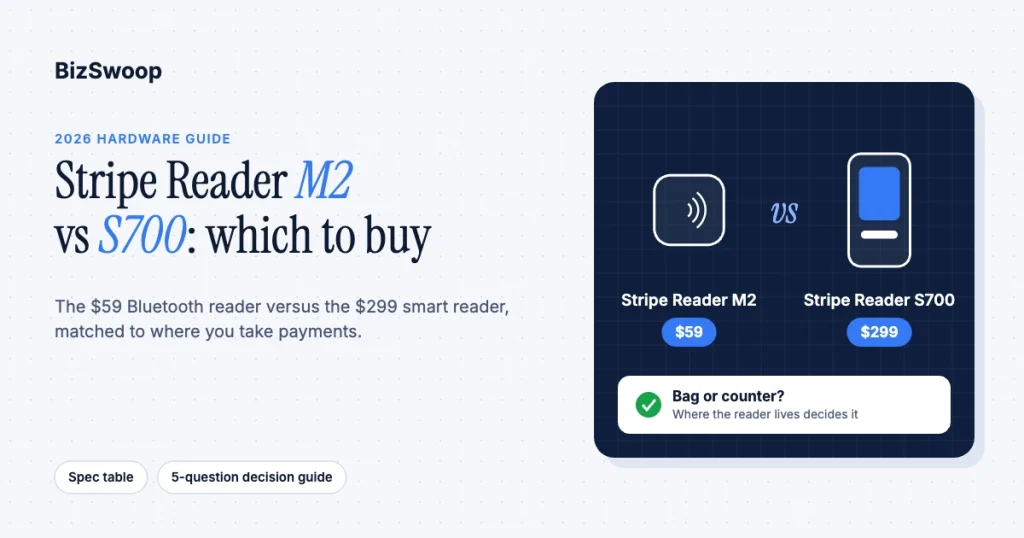
Buy the $59 Stripe Reader M2 if you need a pocketable reader that pairs to a phone or tablet for mobile, occasional, or low-cost selling; buy the $299 Stripe Reader S700 if you need a self-contained smart reader with its own touchscreen for a fixed counter. The M2 is a reader, the S700 is a register, and that distinction settles almost every decision. They are not competing for the same job: the M2 is the cheapest way to take a card in the field, and the S700 is Stripe’s most flexible device for a customer-facing checkout.
We deploy both across retail counters, field-service trucks, pop-ups, and multi-location rollouts, and BizSwoop runs its own Stripe Connect platform at payments.bizswoop.app, so the recommendations below come from readers we have put in people’s hands. This is a cluster in the broader Stripe Terminal hardware reader guide; the Stripe Reader S700 complete guide and the BBPOS WisePad 3 review go deeper on individual devices. Prices and specs were re-checked against Stripe’s device pages in November 2026.
Key Takeaways
- The M2 is $59 and the S700 is $299. Both are one-time purchases, and the gap is $240.
- They process at the same rate. Both pay Stripe’s US in-person rate of 2.7% + 5¢ per successful card transaction on standard pricing.
- The M2 needs a phone or tablet; the S700 does not. The M2 pairs over Bluetooth to an app running the Stripe Terminal SDK, while the S700 runs your checkout app on its own 5.5-inch screen.
- Counter or bag decides it. If a customer stands in front of the device at a fixed point of sale, buy the S700; if the reader rides in a bag, buy the M2.
- The S710 is the cellular S700. It costs the same $299 and adds 4G/LTE for counters without reliable Wi-Fi, with a $10 per reader per month cellular fee.
- When unsure, start with the M2. It takes the same payment types, and you can add an S700 when a fixed counter justifies it.
Should I get the Stripe M2 or S700?
Get the M2 if your selling is mobile or occasional and you already carry a phone or tablet; get the S700 if you run a counter and want a real terminal with its own screen.
The decision reduces to one question: does a customer stand in front of the device at a fixed point of sale? If yes (a shop counter, a clinic front desk, a quick-service register), the S700’s built-in touchscreen, on-reader tipping, and independence from a paired phone are worth the $240 premium. If no (a market stall, a delivery van, a trade-show booth, a sales rep taking a deposit), you are paying for a screen you will not use, and the M2 or Tap to Pay does the job for a fraction of the cost.
How do the Stripe M2 and S700 specs compare?
The two readers differ on price, autonomy, screen, connectivity, and battery; on the payment types they accept and the security model, they are equivalent. Specs below are from Stripe’s M2 product page, S700 product page, and the Terminal reader product sheets.
| Spec | Stripe Reader M2 | Stripe Reader S700 |
|---|---|---|
| Price (US) | $59 | $299 |
| Form factor | Compact handheld reader, no screen | Smart reader with touchscreen |
| Display | None (uses the paired device’s screen) | 5.5-inch 1080p touchscreen |
| Needs a paired phone or tablet | Yes (iOS, Android, or React Native app) | No; runs your POS app on the device |
| Connectivity | Bluetooth; USB with the Android SDK | Wi-Fi; Ethernet with the optional hub; cellular on the S710 |
| Payment types | Chip, contactless cards and wallets, magstripe | Chip, contactless cards and wallets, magstripe |
| Tipping | No on-reader tipping (collect tips in your app) | On-reader tip prompts |
| Battery (active use) | About 28 hours | About 15 hours |
| Charging | USB-C | USB-C or dock |
| Weight | About 85 g | About 318 g |
| Customer-facing screen | No | Yes |
| Best for | Mobile, field, pop-up, occasional | Fixed or semi-fixed counter, customer-facing checkout |
Two notes the table flattens. The M2’s longer battery life comes from not powering a bright touchscreen and an Android OS; the paired phone does the user-facing work. And the S700 has a cellular sibling, the S710, at the same price for counters without reliable Wi-Fi or Ethernet.
Which reader fits which situation?
Match the reader to where and how you sell: the M2 wins anywhere mobile or budget-constrained, and the S700 wins anywhere fixed and customer-facing.
Choose the M2 when:
- You sell on the move. Field service, delivery, markets, festivals, and trade shows all favor a reader that fits in a pocket.
- You take payments occasionally. A counter device sitting idle most of the day is wasted money.
- Per-unit cost matters. At $59, the M2 is the cheapest physical reader for a large rollout.
- Staff already carry a phone or tablet. The M2 needs a device that can run your Terminal SDK app.
- You want the lightest option. It still takes a tap, a chip, or a swipe.
Choose the S700 when:
- You run a dedicated counter. Reliable Wi-Fi or Ethernet at the register is the S700’s main requirement.
- You want a customer-facing screen. The amount, tip prompts, and confirmation show on the reader itself.
- You want no tethered phone. The S700 runs your checkout app directly.
- You want a branded register. It replaces a traditional countertop terminal with a polished, customizable screen.
A useful tie-breaker: if the reader will live in a bag and come out a few times a day, it is an M2; if it will live on a counter and a customer will look at it, it is an S700. Mixed environments, such as a shop with a fixed register and roaming staff for line-busting, often buy one S700 for the counter and a couple of M2s for the floor. If the counter never moves and you want a bigger customer display, Stripe also sells the T600, an 8-inch countertop reader at $329 (plus $39 for the optional Reader Hub).
If you are a platform deploying readers across many merchants, the hardware question sits inside a larger one about reader ownership and fleet management on Stripe Connect: the M2’s low unit cost suits pooled, per-merchant deployments, while a shared S700 can serve a multi-vendor counter.
What does each reader cost?
The M2 is $59 and the S700 is $299 as one-time hardware purchases, and both carry the same Stripe Terminal processing rate of 2.7% + 5¢ per US card-present transaction.
| Cost line | Stripe Reader M2 | Stripe Reader S700 |
|---|---|---|
| Hardware (one-time) | $59 | $299 |
| Processing (US in-person) | 2.7% + 5¢ | 2.7% + 5¢ |
| Monthly reader fee (standard pricing) | None | None ($10/month only for cellular on the S710) |
| Optional accessories | M2 dock $19 | Dock $49, Reader Hub $39, case $19 |
| What you also need | A phone or tablet you likely already own | A reliable network at the counter |
So the true cost gap is the $240 hardware difference plus, optionally, a dock for the S700. The card-present rate is lower than Stripe’s 2.9% + 30¢ online rate, and Stripe’s add-ons apply the same way on both readers: +1.5% for international cards and +5¢ if you opt into point-to-point encryption (P2PE). Current details are on Stripe’s Terminal pricing and its Terminal pricing help article. At any real transaction volume, processing dwarfs the hardware difference, so buy for fit, not to save $240. For the full lineup with accessories and fleet math, see Stripe Terminal hardware costs explained.
Want a POS that already works with both readers? Jovvie runs on the M2, the S700/S710, and Tap to Pay, with payments going into your own Stripe account.
How does each reader connect?
The M2 pairs to a phone or tablet over Bluetooth and relies on that device’s app and network; the S700 connects directly over Wi-Fi or Ethernet and needs no paired device.
This is the biggest operational difference between them. The M2 is a Bluetooth peripheral: it connects to an iOS, Android, or React Native app running the Stripe Terminal SDK, and that app, and the phone’s connection, is what reaches Stripe. If the phone’s battery dies or it wanders out of Bluetooth range, the M2 stops working. That is fine for mobile use where staff carry the phone anyway, and offline mode covers brief connectivity gaps.
The S700 is its own computer. It joins your Wi-Fi, or takes Ethernet through the optional hub, and talks to Stripe directly with no phone in the loop. The trade-off is that network quality becomes the S700’s main dependency: weak or captive-portal Wi-Fi at the counter is the most common cause of S700 setup pain. Where it matters, run Ethernet through the hub or choose the cellular S710. If you want an off-the-shelf POS for Stripe rather than building your own app, check that it supports the reader you pick before you order.
How do I decide between the M2 and S700?
Work through these questions in order and stop at the first yes:
- Will a customer stand at a fixed point of sale and look at the device? Buy the S700 (or the T600 if you want an 8-inch screen).
- Do you need on-reader tip prompts and branding? Buy the S700.
- Is your selling mobile, occasional, or spread across many low-volume readers? Buy the M2.
- Do you already carry a phone and just need the cheapest way to take a card? Buy the M2, or use Tap to Pay with no hardware at all.
- Mixed environment with a fixed counter and roaming staff? Buy one S700 for the counter and M2s for the floor.
If you are still between the two, default to the M2: it is $59, it accepts the same payment types, and you can add an S700 later. The reverse, buying an S700 for mobile use, usually means paying for a screen that rides around in a bag. For the full lineup, including the WisePOS E, T600, and Tap to Pay, see the hardware pillar.
Frequently asked questions
Is the Stripe M2 or S700 better?
Neither is better for every business; they serve different jobs. The $59 M2 is better for mobile, occasional, and budget-conscious selling because it is a cheap Bluetooth reader that pairs to a phone. The $299 S700 is better for a fixed counter because it is a self-contained smart reader with its own touchscreen and network connection.
What is the difference between the Stripe M2 and S700?
The M2 is a $59 compact Bluetooth reader with no screen that needs a paired phone or tablet. The S700 is a $299 smart reader with a 5.5-inch touchscreen and Wi-Fi or Ethernet that runs your checkout app with no tethered device. Both accept the same payment types at the same 2.7% + 5¢ US in-person rate.
Does the Stripe M2 need a phone?
Yes. The M2 has no screen and connects over Bluetooth (or USB on Android) to a phone or tablet running a Stripe Terminal SDK app. The S700, by contrast, is self-contained and needs no paired device.
Is the Stripe M2 or S700 cheaper to run?
Both cost the same to run on standard pricing: 2.7% + 5¢ per US in-person transaction, with no monthly reader fee. The only difference is upfront hardware, $59 for the M2 versus $299 for the S700, plus an optional $49 dock for the S700.
Can the Stripe M2 take contactless payments?
Yes. The M2 accepts chip, magstripe, and contactless cards and digital wallets. It has no screen, so it cannot show tip prompts; collect tips in your app on the paired device, or use the S700 for on-reader tipping.
Should I buy the S700 or S710?
Buy the S700 if your counter has reliable Wi-Fi or Ethernet, and the S710 if it does not. Both cost $299 and share the same screen and payment features; the S710 adds 4G/LTE cellular, which Stripe bills at $10 per reader per month on cellular-enabled readers.
Which reader is right for your setup?
The M2-versus-S700 choice is really a counter-versus-bag choice, and most businesses know which they are the moment they picture where the reader lives. If you sell on the move, the $59 M2 is the answer; if you run a customer-facing counter, the $299 S700 earns its premium.
We help operators make this call across single shops, field fleets, and multi-location rollouts, and we run our own Stripe Connect platform. If you want a hardware recommendation grounded in how and where you sell, including the right mix when you have both a counter and roaming staff, talk to a Jovvie advisor and we will spec the readers, the network, and the rollout for your setup.
Primary sources: Stripe Reader M2 · Stripe Reader S700 · Stripe Reader S710 · Stripe Reader T600 · Terminal reader product sheets · Select a reader · Stripe Terminal pricing · Stripe Terminal SDK docs
