
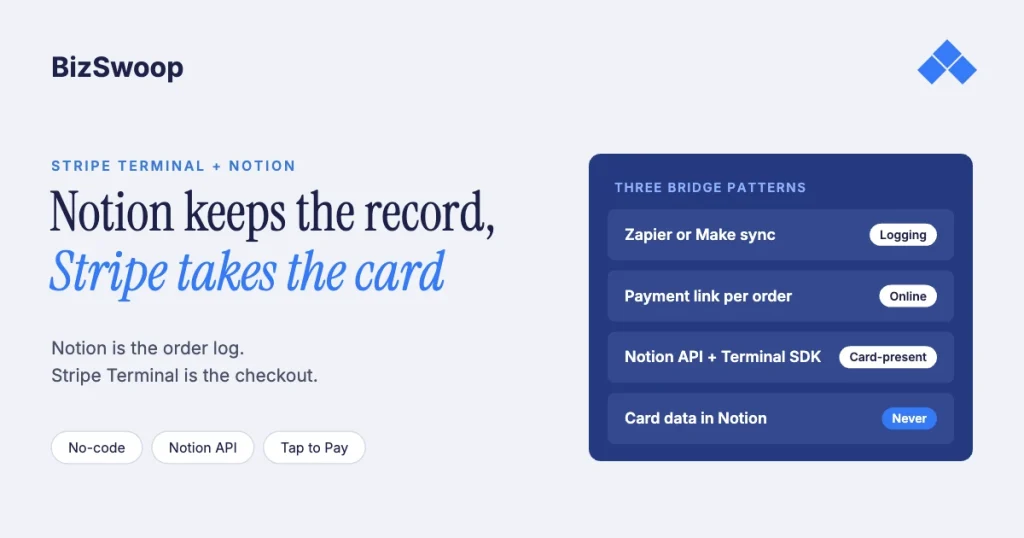
No, Notion can’t accept card-present payments on its own. Notion is a workspace and database, not a payment processor or point of sale, and it has no feature for charging your customers. If you run a small business out of Notion and want to take a physical card at a counter, a market stall or a client visit, use Stripe Terminal or Tap to Pay for the card capture and keep Notion as the system of record behind it. This guide gives the three realistic ways to connect the two and the one PCI rule that keeps you safe.
Jovvie, an official Stripe Partner, has built in-person Stripe Terminal payments for WooCommerce merchants since 2016. The Notion and Stripe details below were re-checked against both vendors’ documentation in November 2026. This guide sits in the SaaS pillar, Stripe Terminal beyond POS: embedding card-present payments into SaaS platforms. Its siblings cover the same bridge for Airtable and ClickUp.
Key Takeaways
- Notion isn’t a POS. It has no card reader, no payment processing and no in-person checkout, and no template changes that.
- Capture in Stripe, record in Notion. A Stripe Terminal reader or Tap to Pay takes the card; Notion holds the order, customer and status.
- There are three bridge patterns. No-code sync (Zapier or Make), Stripe payment links stored on Notion records, or a custom app on the Notion API and the Stripe Terminal SDK.
- Only the custom app ties a tap to a Notion row automatically. It reads the order from Notion, drives the reader and writes the paid status back.
- Card data never goes into Notion. Notion stores amounts, statuses and Stripe IDs; card details stay inside Stripe’s reader and Tap to Pay flow.
- Tap to Pay is the zero-hardware option. A supported iPhone or Android phone accepts contactless cards at 2.7% + 5¢ plus 10¢ per authorization in the US.
Can Notion take card-present payments?
No. Notion has no built-in card reader, payment processing or in-person checkout. Searches for “connect Notion to Stripe” mostly turn up automation recipes that create a Notion page when an online Stripe payment happens, or form builders that add online payment fields. Neither lets a customer standing in front of you tap a card.
What you can do is pair Notion with real card-present capture. The card is read by a Stripe Terminal reader such as the Stripe Reader M2 ($59) or S700 ($299), or by Tap to Pay on a phone, as documented in Stripe’s Terminal docs. Notion sits behind that as the database.
Why isn’t Notion a POS, and what is it good for in a payments stack?
Notion is a system of record, not a system of capture. A point-of-sale system, as Stripe describes it, combines hardware and software to accept payments and manage sales. Notion does none of the payment part.
Where Notion earns its place is the information around each sale:
- Orders and line items. A Notion database works well as a catalog, order log or client project tracker.
- Customer context. Linked databases can hold customer history, notes and follow-ups.
- Post-sale workflow. Fulfillment status, delivery scheduling and handoffs are Notion’s strength.
Notion “small business POS” templates blur this line. A template can log that a $40 sale happened; it can’t charge the card. Keep that distinction and the architecture follows: capture in Stripe, record in Notion.
What are the three ways to bridge Notion and Stripe Terminal?
No-code sync, payment links, or a custom app. The right one depends on how much you sell, whether you can build, and how exact your reconciliation needs to be.
| Bridge pattern | Card-present? | Setup effort | Ongoing cost | Reconciliation | Best for |
|---|---|---|---|---|---|
| 1. No-code sync (Zapier or Make) | Indirectly: the card is taken in Stripe; the automation copies the result into Notion | Hours | Automation subscription + Stripe fees | Good for logging; short sync delay | Micro-businesses that want Stripe sales to appear in Notion |
| 2. Payment links (one per order, stored on the Notion row) | No: online payment at 2.9% + 30¢ | Low to medium | Stripe fees only | Manual unless combined with pattern 1 | Deposits, invoices, pay-before-pickup |
| 3. Custom app (Notion API + Stripe Terminal SDK) | Yes, with write-back to Notion | Developer build | Build, hosting + Stripe fees | Best: near real time, exact | Notion as the source of truth with true in-person capture |
Pattern 1: no-code sync
Use Zapier or Make to watch Stripe for new charges or payments and create or update a Notion database item. The card is still taken on a Stripe Terminal reader or Tap to Pay, for example with Stripe’s no-code in-person options; the automation mirrors the finished charge into Notion. It’s the fastest path, but it only copies records one way and can’t tell the reader what to charge.
Pattern 2: payment links
Generate a Stripe payment link per order and store it on the Notion record. That works for deposits before a client visit or invoices from a Notion-run pipeline. Be clear about what it is: an online card payment, not a counter tap. It pairs well with pattern 1, which can mirror the paid status back into Notion.
Pattern 3: a custom app on the Notion API and Terminal SDK
This is the only pattern that gives you true card-present capture and Notion as the authoritative record. A thin app reads the order from Notion through the Notion API, creates a Stripe PaymentIntent, drives a reader or Tap to Pay to collect the card, and writes the charge ID and paid status back to the Notion row. It needs a developer and a backend that holds your Stripe secret key (never in the browser, never in Notion). Our guide to connection tokens and OAuth for SaaS embeds covers the server side.
Outgrowing a Notion order log? Jovvie is a full POS for Stripe Terminal readers and Tap to Pay, with inventory and receipts built in.
How do you build the Notion + Stripe Terminal bridge?
Here is pattern 3 in six steps. Treat Stripe’s Terminal documentation and the Notion API reference as the sources of truth for specifics.
- Model the order in Notion. Create a database with item, amount, customer and a status property (Pending, Paid, Failed). Never add a field for card details.
- Stand up a small backend. A minimal server or serverless function holds your Stripe secret key and your Notion integration token, so neither sits in the client.
- Read the order. When a sale starts, the backend fetches the Notion page through the Notion API to get the amount and reference.
- Create the PaymentIntent and connect the reader. The backend creates a PaymentIntent for that amount, with the Notion page ID in metadata, and issues a connection token to the Terminal SDK on the reader or phone.
- Capture the card. The customer taps, inserts or swipes; card data is encrypted at the reader and goes straight to Stripe.
- Write back to Notion. When the payment_intent.succeeded webhook arrives, the backend updates the Notion page: status Paid, plus the Stripe PaymentIntent ID for reconciliation.
The card never passes through Notion, Zapier or your own database at any step.
Can a Notion-run business take cards with no hardware?
Yes, with Tap to Pay. A supported iPhone or Android phone becomes the reader: the customer taps a contactless card or mobile wallet on the phone. In the US it costs Stripe’s standard 2.7% + 5¢ in-person rate plus 10¢ per Tap to Pay authorization, according to Stripe’s pricing page. You still need a bridge (pattern 1 for logging, pattern 3 for a Notion-linked flow), but you skip buying a reader. For a consultant collecting at a client site or a maker at a weekend market, Tap to Pay plus a Notion order log is the leanest setup that works. Cards that require insertion are declined, so carry a Stripe Reader M2 if that matters to your customers.
How do you keep card data out of Notion?
Never let card details enter Notion, your automation tool or your own database. Notion isn’t a cardholder-data environment and shouldn’t become one. In all three patterns, the card is captured and encrypted inside Stripe’s reader or Tap to Pay flow and sent directly to Stripe. Notion holds references only: an amount, a status and a Stripe ID you can look up in the Dashboard. If a tutorial tells you to paste a card number into a Notion field or pass one through a Zapier step, don’t. Our Stripe Terminal PCI compliance guide explains why this keeps your PCI scope small.
When should you move beyond Notion?
When you’re ringing up customers all day, a database pressed into service as a register starts to cost you time. If you sell through WooCommerce, a Stripe POS like Jovvie gives you inventory, tax and receipts at the counter while Notion keeps doing what it’s good at behind the scenes.
Frequently asked questions
Can Notion take card payments?
Not natively. Notion has no payment processing. You can take card payments in Stripe Terminal or Tap to Pay and mirror the record into Notion with an automation or a custom app on the Notion API.
Can I use Notion as a POS?
No. Notion can be the order log, catalog and customer record behind a point of sale, but the card must be taken by a real payment system such as Stripe Terminal.
How do I connect Notion to Stripe?
Three ways: a Zapier or Make automation that copies Stripe payments into a Notion database; Stripe payment links stored on Notion records; or a custom app built on the Notion API and the Stripe Terminal SDK for in-person capture with write-back.
Can I generate Stripe payment links from a Notion database?
Yes, with a small integration that uses the Notion API and Stripe’s API to create a link per row and write it back to the record. It’s an online payment, best for deposits and pay-before-pickup, not an in-person tap.
Is a Notion POS template enough to take payments?
No. Notion POS templates are tracking dashboards: they log sales you enter, but they can’t charge a card. Add Stripe Terminal or Tap to Pay through one of the bridges above.
Is it safe to store card details in Notion?
No. Card details should never enter Notion or an automation tool. Store only amounts, statuses and Stripe IDs, and let Stripe’s reader or Tap to Pay flow handle the card.
Running your business from Notion?
Tell us how you sell and what Notion tracks today, and we’ll recommend the right bridge (no-code, payment links or a custom build) and keep card data where it belongs.
Sources: Notion API · Zapier: Notion + Stripe · Stripe Terminal · Stripe no-code in-person payments · Stripe: POS systems for businesses · Tap to Pay · Stripe pricing
